Job Title: Instructional Design and Content Development Support Officer
Reports to: Program Lead – Digital Pedagogy, Instructional Design, Content Development & Acquisition Direct reports: None
Job Summary
The Instructional Design and Content Development Support Officer provides faculty/staff with course design support to create effective, engaging learning content and learning environments aligned to desired learning outcomes.
The role involves consulting with subject matter experts (SMEs) across diverse disciplines to define course goals and apply evidence-based instructional strategies. A key focus is on integrating innovative online and technology-enhanced components to improve learning across different delivery modes (blended, hybrid, and fully online).
The officer will also support staff capacity-building through workshops and video tutorials on instructional design for online delivery, course design, and technology-enhanced instruction. Additionally, the role supports the management of the Content Development Hub as a Centre of Excellence for content digitisation.
Key Responsibilities
The officer will be responsible for the following:
Design and develop courses, modules, and curricula.
Edit, develop, and improve online learning materials.
Create learner-centred learning experiences and environments.
Design learning activities, assignments, and assessments aligned to outcomes.
Conduct instructional design research and analysis based on learner needs and learning contexts.
Develop computer-based training (CBT) modules, storyboards, and related instructional assets.
Develop instructors’ manuals, rubrics, and other teaching and facilitation tools.
Collaborate with SMEs to develop, review, and refine course content.
Support conversion of hardcopy (face-to-face) materials into digital formats suitable for blended (hybrid) and online delivery.
Manage and support online learning communities and learner engagement.
Analyse, update, and refine existing online content using feedback and learning data.
Train instructors, students, and academic staff on the use of learning technologies.
Facilitate discussion and collaboration using appropriate digital tools and platforms.
Keep current with best practices in instructional design and digital learning.
Write scripts for video and audio learning content.
Develop supporting multimedia resources (videos, audio, role plays, simulations/games) to enhance instruction.
Work with technical staff to troubleshoot user-reported learning technology issues.
Develop training workplans in consultation with the Program Lead.
Maintain project documentation and organise course folders.
Conduct regular training for trainers and track the progress of trainees in course development.
Track student engagement with course content developed by trainees.
Perform any other duties assigned by the line lead in accordance with organisational policy.
Required Knowledge & Competencies
Candidates should demonstrate:
Knowledge of instructional theory, including assessment approaches.
Proficiency with Learning Management Systems (LMS).
Understanding of website design best practices.
Experience with design platforms (for example, InDesign or similar tools).
Familiarity with course management systems (for example, Blackboard, Moodle, Edex, or similar).
Strong written and verbal communication skills, including the ability to explain technical information to non-technical users.
Strong critical thinking and problem-solving skills.
Ability to prioritise tasks and manage multiple deadlines.
Personal Profile
Qualifications
Applicants should have one of the following:
BSc or MA in Instructional Design, Educational Technology, or a related field; OR
BA/BSc in Education plus a Postgraduate Diploma in Instructional Design; OR
BSc in Computer Science/Information Technology plus a Postgraduate Diploma in E-learning or Educational Technology.
Additional requirements:
At least one programming language skill.
Good knowledge of web applications.
Good knowledge of database applications.
Skills
Proven experience in instructional design and instructional technology.
Excellent knowledge of learning theories and instructional design models.
Lesson and curriculum planning skills.
Basic HTML and CSS knowledge.
Solid knowledge of course development software and at least one LMS.
Visual design and storyboarding skills (for example, Dreamweaver, Photoshop, Illustrator, or similar).
Ability to write effective instructional copy and scripts for audio/video learning content.
Experience
At least 2 years’ experience in instructional design in a higher institution of learning.
Teaching assistant experience is an added advantage.
Demonstrated previous experience in instructional design.
Coordination & Collaboration
Internal (Within CSTS)
Works closely with: Program Lead – Digital Pedagogy, Instructional Design & Content Development; Program Lead – Technical & LMS; Project Manager; HR Manager
External
Engages with educational institutions, relevant working groups on digital pedagogy and content development, partner organisations, and service providers supporting virtual lab content development.
How to Apply
Please submit:
Updated CV
Cover letter outlining relevant experience
Portfolio or sample instructional design work (if available)
The Generation Kazi Program is an initiative run by Brighter Monday in partnership with the Mastercard Foundation Uganda. The program is specifically designed to equip young job seekers with the essential skills, guidance, and connections needed to secure meaningful employment.
The program’s key benefits to your students include:
Skills Training: Provision of in-demand soft and technical skills to bridge the gap between academia and industry.
Mentorship: Access to experienced professionals who provide guidance and practical career advice.
Career Guidance: Structured support in CV writing, interview preparation, and job search strategies.
Job Placement Opportunities: Direct linkage to job vacancies through Brighter Monday’s extensive network of employers.
Combining the foundational skills gained from the eLearning Initiative’s courses with the targeted job support of Generation Kazi will significantly enhance your graduates’ competitiveness and employability. This additional skills training, mentorship, career guidance, and job placement opportunities can be accessed by filling in the AI Career Tool Registration Form
To ensure your students can benefit from these valuable opportunities, we kindly request that your institution embed the AI Career Tool Registration Form link on your university website and the student-facing section of your LMS platform (LMS admins cc’d here):
GORRET NYANGOMA: FROM ENGINEERING STUDENT TO ENTREPRENEUR
How an eLearning course sparked a student-run PPE venture in Eastern Uganda.
“The online course in entrepreneurship and business skills proved transformative.”
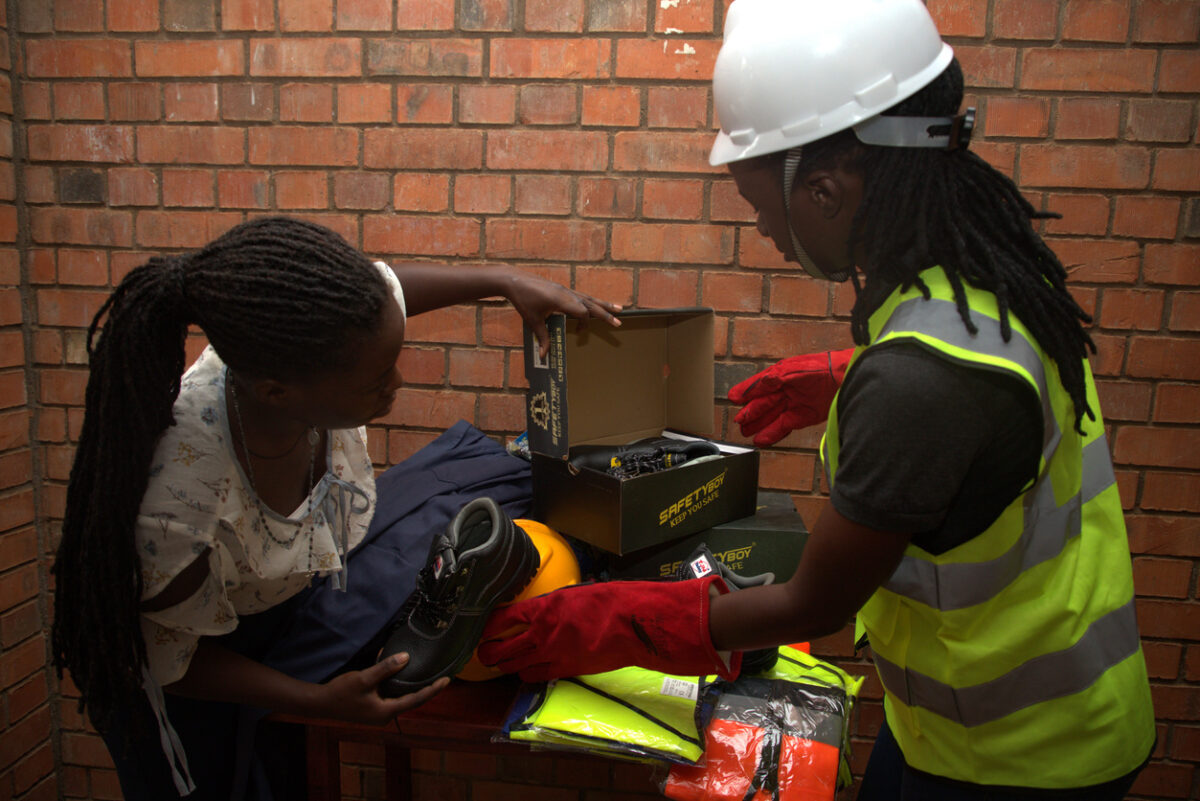
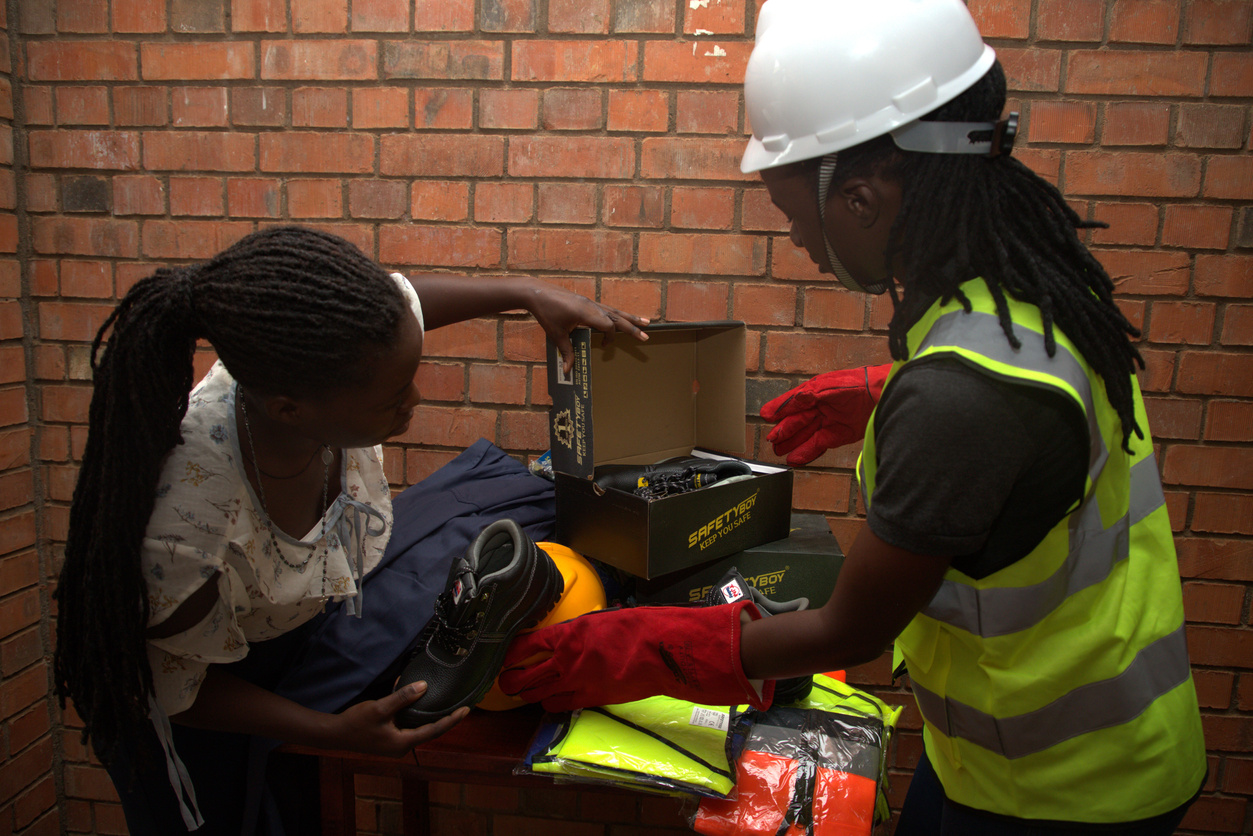
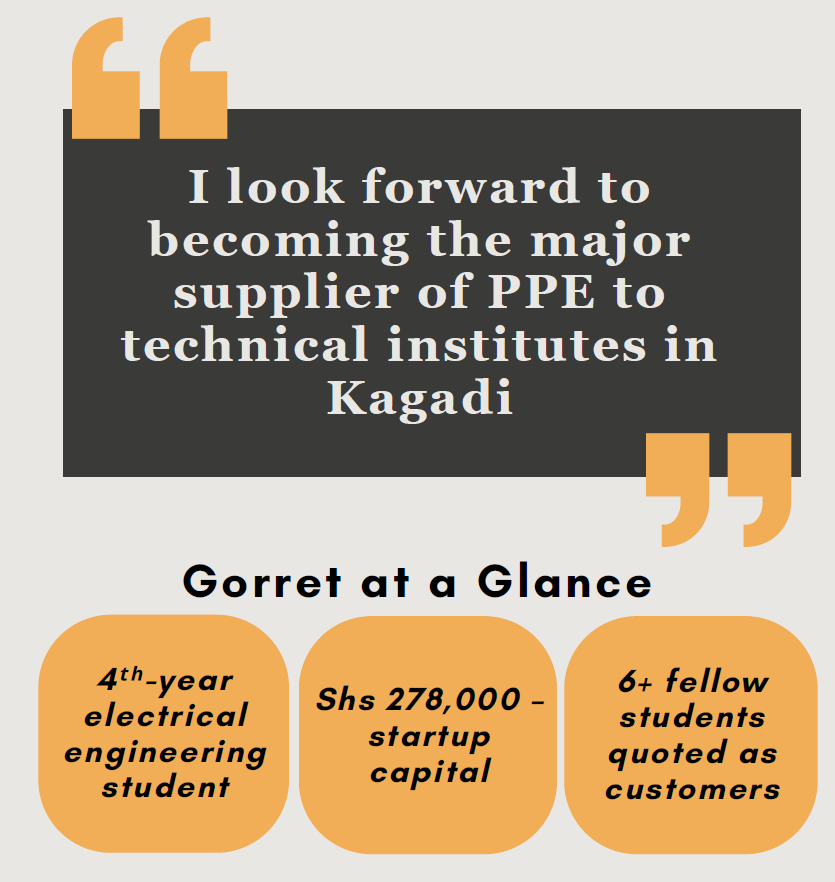
Gorret Nyangoma, a fourth-year electrical engineering student at Busitema University Main Campus, initially held a conventional view of post-graduation life. “Before engaging with the eLearning Initiative’s interventions, I had another perspective about life at school and at work,” she reflects. “I thought it was a must to get a job after school, and I thought it was a must for graduates to get white-collar jobs.” However, the eLearning Initiative challenged these preconceived notions. Gorret gained valuable insights into skills mismatch, workplace rights, and the often-frightening world of entrepreneurship. “I learnt a lot about skills mismatch, you have skills in a particular field, but you are applying them in other fields. I learnt that workers have rights in the workplace. Additionally, I was afraid of how to enter the entrepreneurship world, advertising my business was one of my major weaknesses and problematic.” The online course in entrepreneurship and business skills proved transformative. It equipped Gorret with the tools and confidence to overcome her marketing anxieties and launch a small business selling safety wares, including helmets and gloves, with an initial capital of Shs 278,000.
Her journey also included a pivotal encounter with Tamim, a student at Lokopio Hills Technical Institute who runs a phone shop. “I engaged with him on how he manages his own business, and I learnt a lot that I applied in my own.” This exchange provided practical insights that complemented her knowledge and boosted her confidence in running a business as a student.
“The course equipped me with the tools and confidence to launch my own business.”
Gorret’s business quickly addressed a critical need among her fellow engineering students. “As students at the faculty of Engineering, we are required to have personal protective equipment for practical lessons and internships,” explains Adrona Juliet Kagoola. “In year one, I bought protective equipment from outside campus, and it was extremely hard and costly as all the major neighbourhood towns (Tororo, Busia, Iganga, and Jinja) did not have most of the required equipment, and what they had was of poor quality and often did not provide a variety to choose from. I had to purchase the equipment from Kampala, leading to high sourcing costs. Gorret’s business has solved a major problem for us as students, bringing these essential items close to us students but also providing a variety of brands that we can choose from based on what we like and price.
Nasirumbi Leticia Prisila, a final-year student, echoes this sentiment: “I bought a helmet and gloves from Gorret. As a final student of electrical engineering who is currently engaged in projects, I need these. The gloves I purchased in Year one their insulation was so low insulation, and this was due to the limited availability of the PPE. However, Gorret has been able to solve this problem by providing high-quality PPE at affordable prices that one can use even after school.” Muwanguzi Mildred Lynda further highlights the convenience Gorret’s business offers. “In year one, my father sent one of his friends to Kampala to purchase Personal Protective gear for me. Gorret’s business has brought these products closer to the student community, making them readily available any time and any day, eliminating all the transport costs associated with sourcing.” Gorret’s initial marketing strategy involved leveraging her WhatsApp status, student groups, and friends. However, she now aims to expand her reach. “With the marketing knowledge I have acquired from the course, I want to expand this and design flyers that I can distribute to students and pin around the campus for more visibility.”
The eLearning Initiative also prompted Gorret to reassess her social media consumption. “The course also challenged me on how to consume social media. Initially, I would be on TikTok to just enjoy other things like fashion,” she admits. “However, since my engagements with the eLearning Initiative, I have changed the content I consume, looking at social media as a tool for learning and growth. So now I follow content creators running businesses and I am learning more about social media marketing and growing a business from them.”
Looking ahead, Gorret envisions significant growth for her business. “As I complete my course, I look forward to expanding my business and opening even a bigger shop in my home district of Kagadi. I look forward to becoming the major supplier of personal protective gear to the technical institutes in the district.” Gorret’s journey stands as a powerful testament to the Uganda eLearning Initiative’s transformative impact, particularly the importance of its entrepreneurship and business skills course. By providing students with the right tools and fostering a resourceful mindset, the Initiative empowers youth like Gorreti to identify and address critical needs within their communities. Her story underscores the Initiative’s success in cultivating an entrepreneurial spirit and enabling students to translate theoretical knowledge into practical, impactful solutions, demonstrating the profound value of its interventions for the future of Uganda’s youth.
How Mbarara University of Science and Technology (MUST) Reimagined Learning in the Wake of COVID-19.
The Chairperson University Council, Dr Namara Warre, and Prof Nixon, DVC, commissioned the hub
The Pre-COVID Landscape: Facing Digital Hurdles
Imagine it is 10 p.m. in a dim lecture office, Dr Maureen Kabarungi, Acting Head of Department of the IT Faculty of Computing and Informatics, drags the last PowerPoint file onto a flash disk and sighs. Before the global health crisis, this was MUST’s approach to eLearning, rudimentary, marked by significant limitations. Dr Maureen Kabarungi vividly recalls these early struggles when the primary mode of digital content delivery involved lecturers uploading basic PowerPoint slides that students struggled to access, a stark contrast to the interactive and dynamic online experiences that define effective modern pedagogy. This “flash disk” approach, as the old Claroline LMS was often perceived, offered limited integration capabilities.
A Digital Leap Forward From grappling with limited digital tools to commanding one of the university’s most visited online domains, Mbarara University of Science and Technology (MUST) has undergone a profound eLearning transformation. This ongoing revolution, spurred by the urgent demands of the COVID-19 pandemic, reflects MUST’s unwavering commitment to enhancing teaching and learning, ensuring accessibility and relevance in a rapidly evolving educational landscape. From Flash Disks to Fully Online “Our previous Learning Management System only allowed us to upload slides… students would struggle to access this content.” — Dr Maureen Kabarungi Before 2020, MUST’s eLearning offer was little more than a slide repository. Classes were split into two as a class of 400 could not physically fit in the lecture halls, and every Zoom link had to be requested from the IT desk. Dr Rennie Bakashaba recalls. Then COVID‑19 struck, campuses closed, and a National Council for Higher Education audit flagged “critical” gaps in MUST’s readiness for remote teaching.
When The World Shut Down, the COVID-19 Catalyst forced Change.
The forced transition to online learning rapidly brought the limitations of MUST’s existing infrastructure and pedagogical approaches into sharp focus. “The university faced numerous challenges during this unprecedented period.” — Prof Nixon Kamukama, Deputy Vice‑Chancellor Within weeks of the COVID-19 pandemic, lecturers had to transition everything online—with tools not designed for the task. The crisis became the spark for wholesale change. As Professor Nixon Kamukama, Deputy Vice Chancellor, Academic Affairs, remarked, “The university faced numerous challenges during this unprecedented period.” The forced transition to online learning rapidly brought the limitations of MUST’s existing infrastructure and pedagogical approaches into sharp focus. A Lifeline Arrives (Intervention)—the Uganda eLearning Initiative: A Partnership for Progress. Recognising the urgent need for comprehensive intervention, the Uganda eLearning Initiative, a strategic program implemented by Cyber School Technology Solutions in partnership with the Mastercard Foundation, emerged as a crucial enabler. This initiative became instrumental in empowering MUST to fundamentally transform its eLearning capabilities.
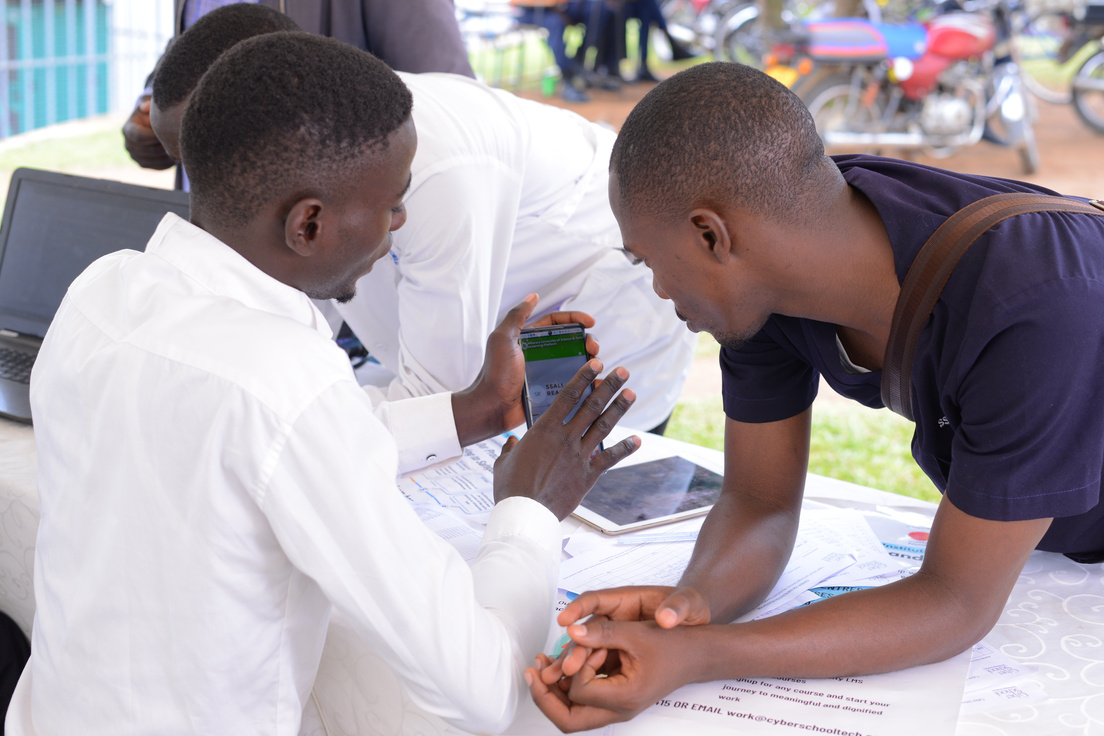
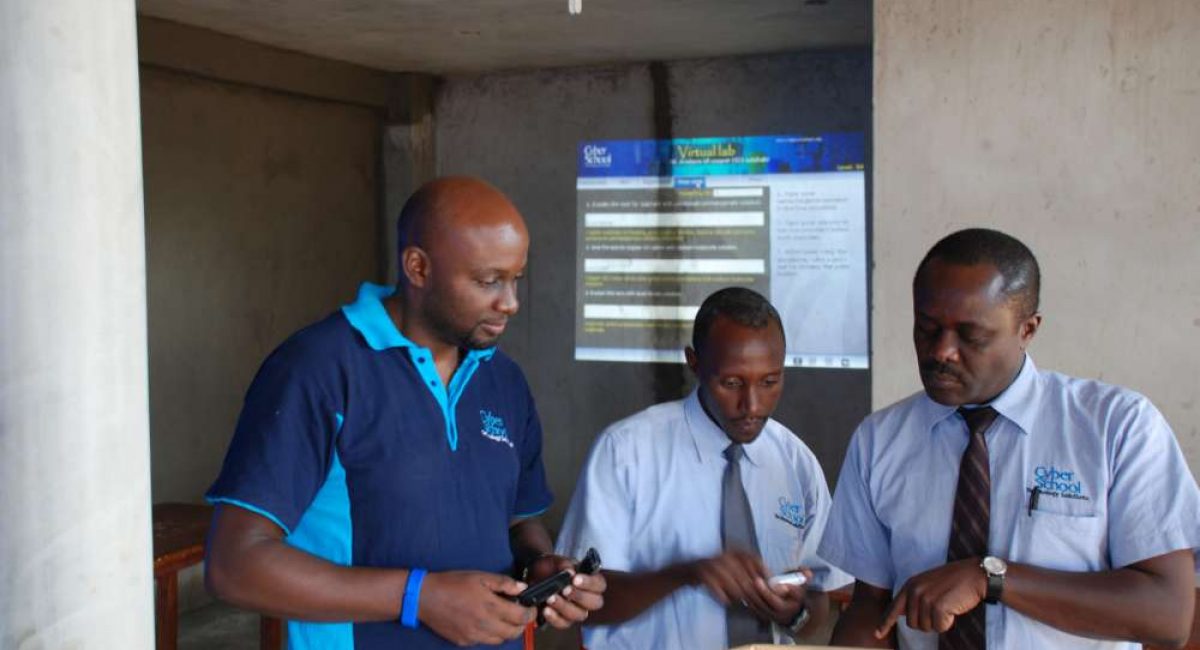
Mr Michael Candiga(Left), a staff member on the eLearning Initiative, supports a Lecturer(Right) using a mobile device.
The Initiative’s support spanned several critical areas:
Technical Empowerment: The initiative deployed dedicated on-ground technical staff who worked hand-in-hand with MUST’s faculty and IT department. This hands-on support included setting up and configuring the new, more advanced LMS, assisting in the development and delivery of online courses, and providing continuous training and troubleshooting. Tezira Wanyana enthusiastically notes the palpable improvement: “The current LMS, acquired through our partnership with Cyber School Technology Solutions, is incredibly robust. It has truly empowered us lecturers to make our content interactive and allows me to run online classes successfully.”
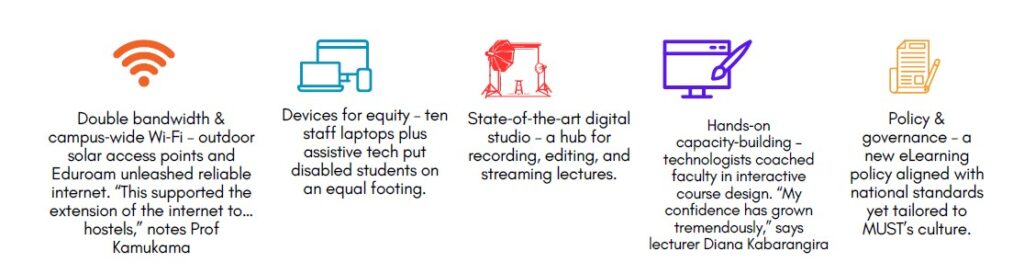
Strategic Policy Development: The initiative provided expert guidance and resources for MUST to formulate a comprehensive eLearning policy. This collaborative process involved extensive sensitisation of key stakeholders, ensuring the policy was not only aligned with national eLearning standards but also tailored to MUST’s unique institutional needs. Enhanced Internet Connectivity: Addressing a critical bottleneck, the initiative facilitated a doubling of the university’s internet bandwidth. Furthermore, MUST’s enrollment in Eduroam through RENU significantly extended internet access, as well as the installation of outdoor solar-powered internet access points. Professor Kamukama emphasised the profound impact: “…this supported the extension of the internet to different places of the university, including hostels, greatly improving access to eLearning, as the internet is a critical component.”
“Double bandwidth & campus‑wide Wi‑Fi – outdoor solar access points and Eduroam unleashed reliable internet. “This supported the extension of the internet to… hostels,” notes Prof Kamukama.
State-of-the-Art Infrastructure:
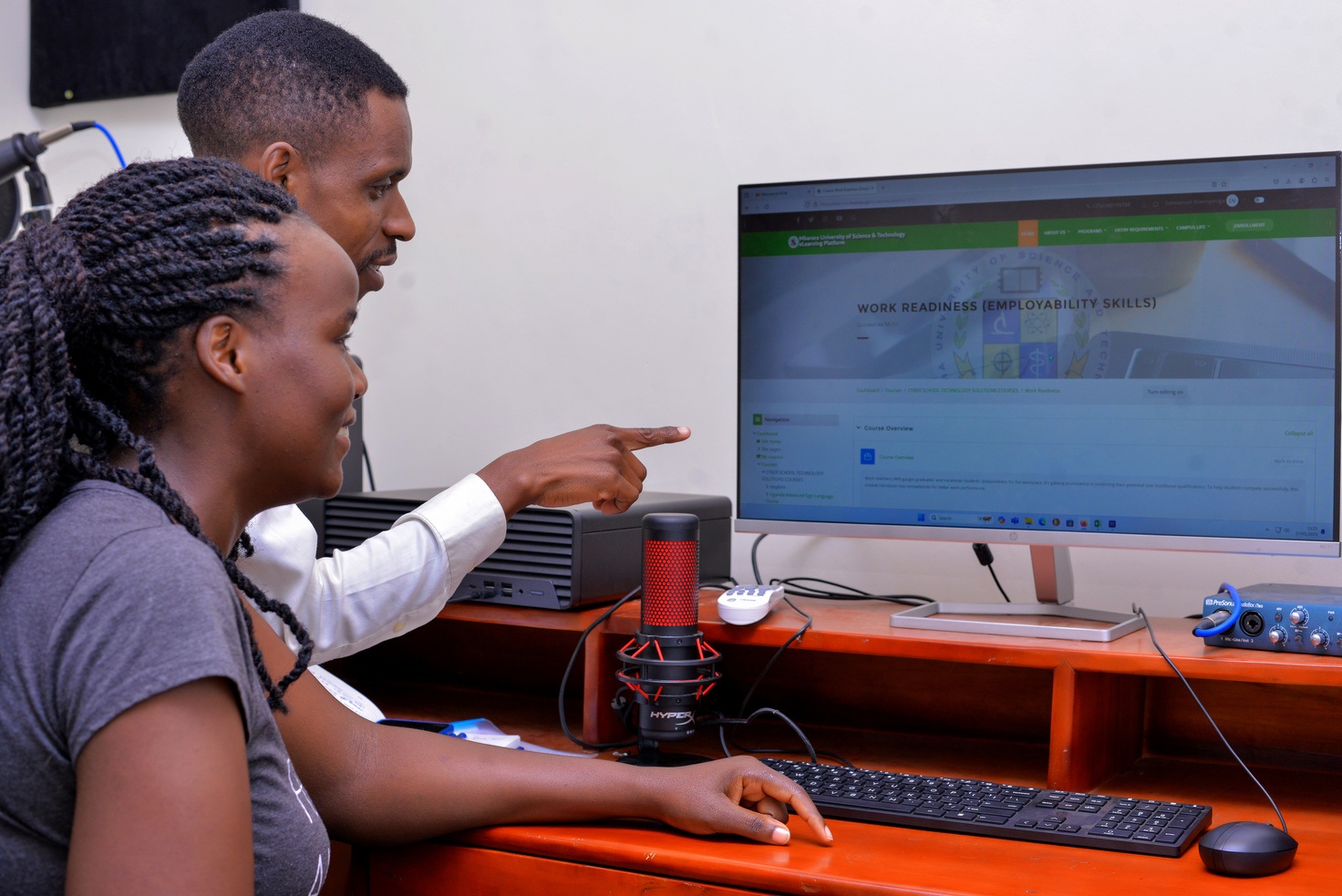
To bolster in-house content creation, the initiative supported the establishment of a cutting-edge digital content hub and studio. This facility, equipped with professional-grade resources, now enables the faculty to produce high-quality, engaging online learning materials. According to Professor Kamukama, this state-of-the-art infrastructure has not only supported content digitisation but also given the university an edge over other institutions and cemented its place as a science and technology university. The hub’s impact extends beyond faculty, fostering new skills among students as well. As one student shared, “When I first started, I had little knowledge about professional video editing. However, through the training by the team in the Hub and constant interaction with the equipment and software installed there, I’ve learned to operate advanced cameras, edit videos with Adobe and CapCut, and design high-end graphics. This has given me the confidence and skills to start creating my own content for YouTube. I am now applying everything I learned to produce engaging videos, and I am excited because I am close to monetising my channel.”(Newton Mwesigwa)
A cutting-edge digital content hub and studio installed at Mbarara University.
Inclusive Device Provision: Promoting equity in access, the initiative strategically provided essential devices. Professor Kamukama detailed this vital contribution: “The Uganda eLearning Initiative provided 10 computers for our lecturers across different programs to support their content digitisation. Crucially, they also provided assistive devices and technologies for our students with disabilities. Some of them have long graduated, and I believe these devices have gone a long way to enable the future of students with disabilities, allowing them equal access and participation.”
MUST Lecturers right in the group discussion with Nkumba Colleagues during a Content digitisation workshop, with an Inclusion specialist (2 Left) guiding inclusive design
Empowering Capacity Building: To ensure sustained and effective eLearning adoption, the initiative conducted extensive capacity-building training for staff. Diana Kabarangira, a lecturer in the Faculty of Business and Applied Sciences, shared her personal journey: “Content digitisation was challenging at the start. In the beginning, my notes were flat, nothing interactive, and I was not confident. However, over time, with the training, I have learned how to make proper content. I now prepare my notes and include pictures and videos to make them attractive and engaging; my confidence has grown tremendously.”
“Content digitisation was challenging at the start. In the beginning, my notes were flat, nothing interactive, and I was not confident. However, over time, with the training, I have learned how to make proper content. I now prepare my notes and include pictures and videos to make them attractive and engaging; my confidence has grown tremendously.”
The Transformative Impact: A New Era of Learning
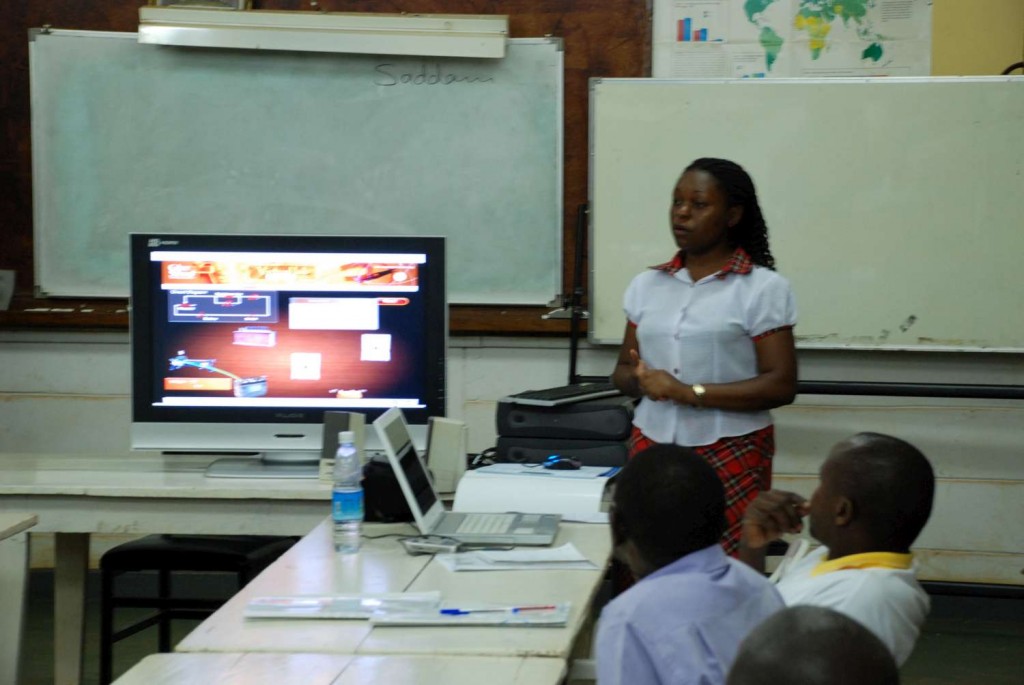
MUST Lecturer presenting at Content digitisation workshop
Elevated Teaching and Learning: The new LMS has fundamentally empowered lecturers. Tezira Wanyana, for instance, now seamlessly incorporates guest lecturers into her online classes, providing students with diverse perspectives and breaking the monotony of a single instructor. “Online teaching has given me great flexibility,” Wayana elaborates. “I taught Database programming hybrid for this second semester, and importantly, online teaching has enabled me to show up for all my tasks, as a PhD student, researcher, and Lecturer.” This flexibility is complemented by the LMS’s capacity to manage large cohorts, a challenge Dr Rennie Bakashaba no longer faces: “All students can join in, and I teach at once.” Unprecedented Accessibility and Flexibility: The enhanced LMS has democratized access to education, making developed content readily available to students anywhere, at any time. This flexibility is particularly invaluable for lecturers and students balancing diverse needs, schedules, and geographical locations.
Student supporting fellow student to enrol on the MUST LMS using a mobile device during a physical campaign organised by the e-learning Initiative.
A student studying Artificial Intelligence recounted their experience: “The system served as a central platform for accessing course materials, participating in virtual lectures, submitting assignments, and engaging in discussions with both students and the instructor.“ I appreciated how the ELMS facilitated a structured yet flexible learning environment, and it significantly contributed to my understanding and appreciation of Artificial Intelligence.” They further noted, “One of the most impactful tools integrated into the LMS was BigBlueButton, a web conferencing solution used for online classes. The integration of BigBlueButton made remote learning feel interactive and productive.”
Dynamic Content Digitisation: Faculty members are now proficient in developing highly engaging online content. Diana Kabarangira’s progress is a testament to this: “As a lecturer, I have been trained in content development, and I have put the skills acquired into practice. So far, I have designed three courses and am currently working on the fourth. Before this, our students used to struggle to access lecture slides, which were not even interactive, but now, student engagement has tremendously increased with the interactive online content. Students can use and interact through discussion forums on the LMS, and it has enabled us to promote student-centred learning.”
Forward-Thinking Policy and Inclusivity: MUST has successfully developed an eLearning policy that is not only responsive to its specific needs but also champions course inclusivity, with dedicated considerations for students with disabilities in course design and delivery. Remarkable Institutional Growth: Over the past three years, MUST has experienced exceptional growth in its eLearning capabilities. This ascendancy is concretely demonstrated by the fact that, as of September 2024, the university’s LMS stands as one of its most frequently visited online domains.
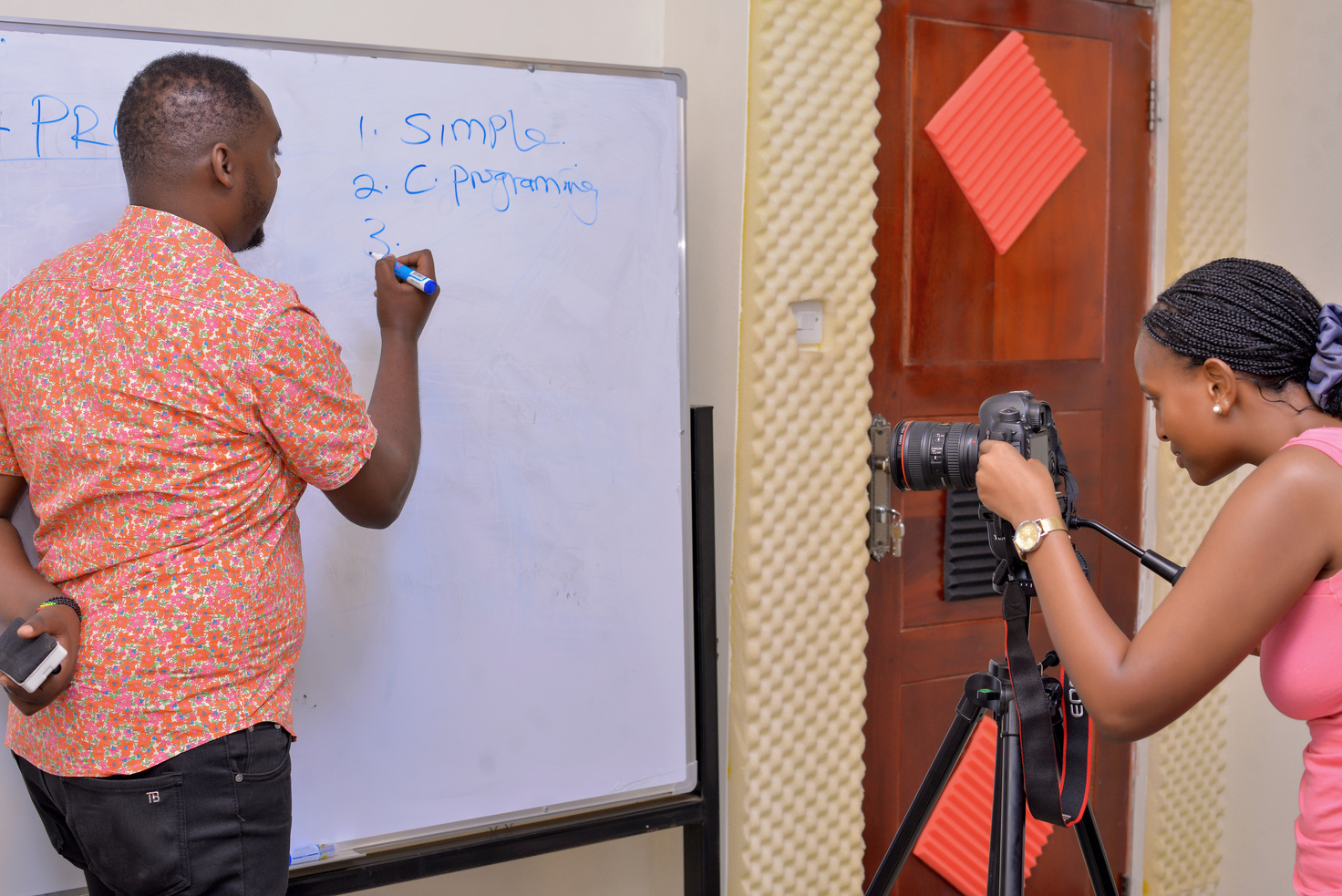
MUST Lecturer recording a live class session supported by a student
Innovative Space Management: eLearning has proven to be a crucial solution in addressing the university’s perennial challenge of limited physical space. Large classes can now be taught entirely online, ensuring all students can attend and actively participate, optimising existing resources.
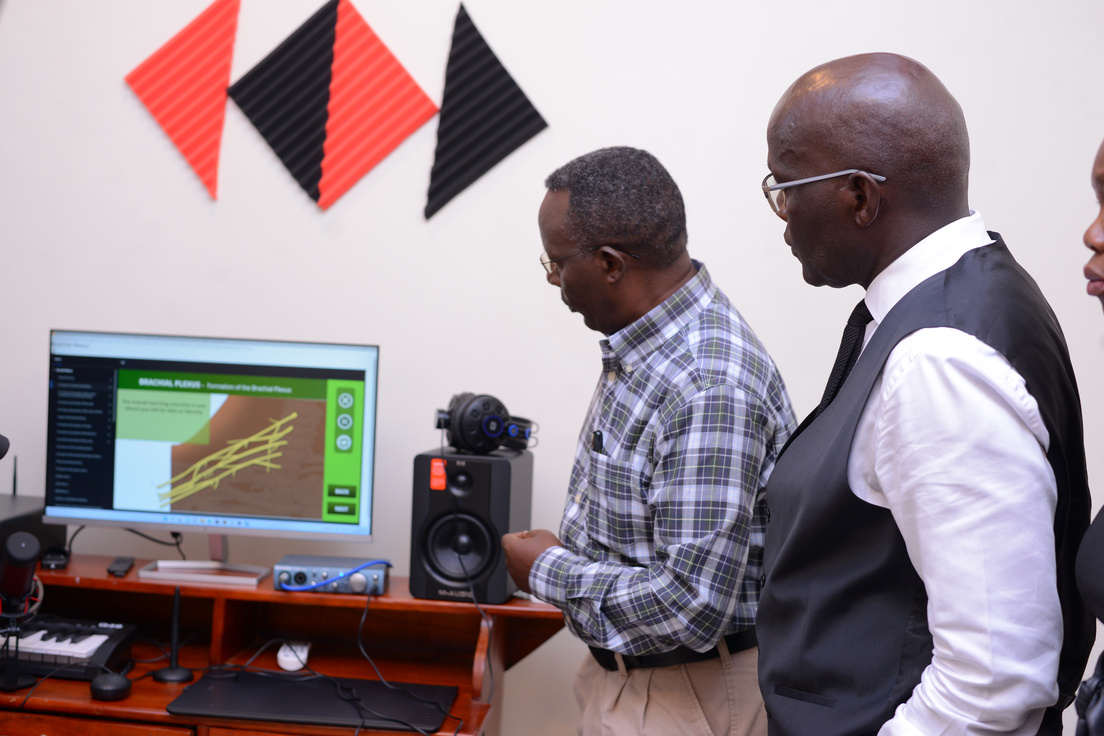
University Chairperson Dr Namara Warren and DVC Prof Nixon viewing digitised content
Innovative Space Management: eLearning has proven to be a crucial solution in addressing the university’s perennial challenge of limited physical space. Large classes can now be taught entirely online, ensuring all students can attend and actively participate, optimising existing resources.
Charting a Digital Future
Mbarara University of Science and Technology’s journey to embrace eLearning has been truly transformative. Through the strategic and comprehensive support of the Uganda eLearning Initiative, the university has not only surmounted significant challenges but has also markedly enhanced its capacity to deliver high-quality online education. The positive ripple effect is evident in the enriched teaching and learning experiences for both faculty and students. While MUST continues its evolution, eLearning has undeniably become a vital and integral pillar of the institution, poised to play an even greater role in shaping its educational future and extending its reach.
During the COVID-19 pandemic, when students were not able to go to school, eLearning platforms bridged the gap and enabled students to continue learning while at home. Although this brought with it many challenges and added expenses such as Internet data costs, it also showed that learning could continue outside the classroom. In these series of articles, we’ll explore the lessons learnt while studying from home and how we can use these to transform learning into a more interactive process which is not restricted to the classroom. To begin with:
Lesson 1: Teachers Do A Lot
With the advent of the pandemic, we parents became teachers to our children. We had to deal with the children all day, prepare their lessons, assign tasks, mark the assignments and make corrections. All of this brought with it an appreciation of the work teachers do as they do this for a classroom full of students daily. Not to mention those teachers who have kids of their own.
Finding the right content – Navigating the unfamiliar path
In the first few weeks of the pandemic, we scoured the Internet and social media looking for study content for our kids. What we quickly found out was that not all content was good content. Then there was the added complication that a new curriculum had been introduced for O level, for which there was little to no content available. This is still the case today.
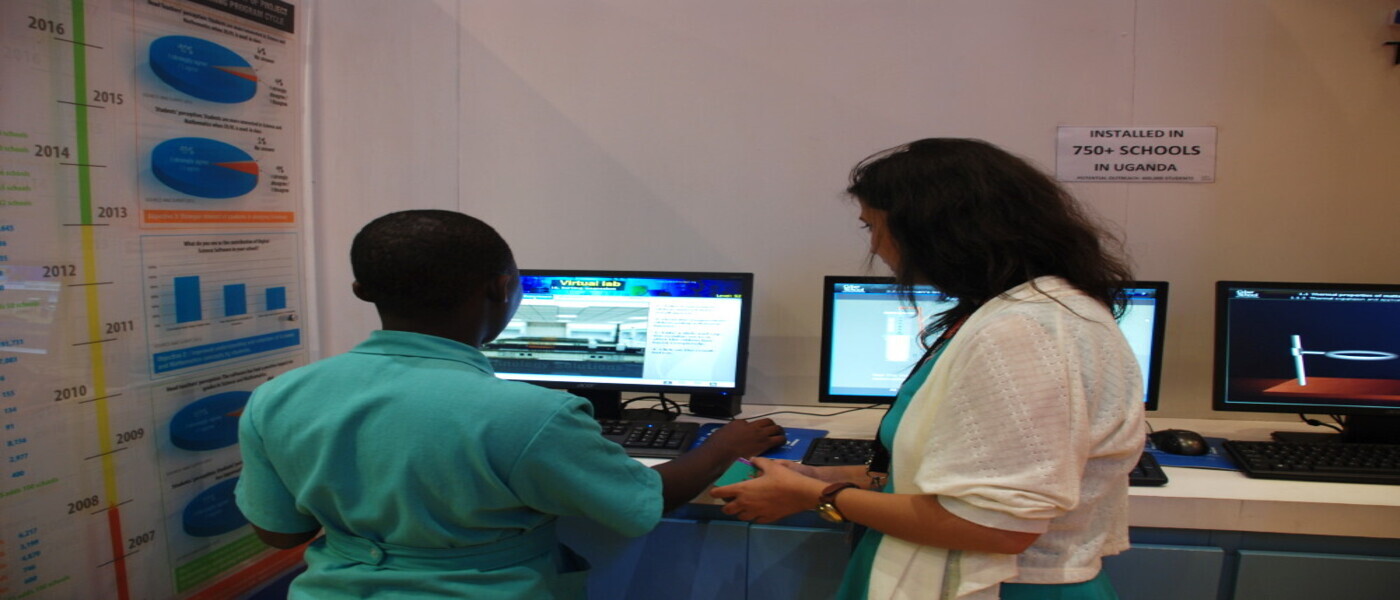
Fortunately for some parents with kids in O level, they were able to get Digital Science & Virtual Lab software which is not only aligned to the national syllabus but also has content for the new curriculum and to top it all off teaches abstract science concepts in a fun & exciting way!
Creating & Sticking to a Study Routine
For a few of us who managed to find the right content, our homes became the classrooms and we became the timekeepers as well, making sure our kids studied when it was time to and also got through all the content they were to study that day. This took a toll on many of us and led to an appreciation for timetables and the teachers who help keep them.
Assigning Homework & Marking
Most parents don’t get that involved in knowing what their kids are learning especially if they are illiterate. But with the classroom being at home, most of us parents had to study what our kids were learning so we could teach them, or at the least be of help, know which assignments to give as homework at what stage and also be able to mark those assignments.
The upside for some of us was that the schools our kids go to started online classes and some of these tasks were ably handled by the lesson management systems chosen by the schools. During that time, Cyber School developed a curriculum guide that helped students know which topics to study when, in all four science subjects. This guide was and still is of great help to parents and students alike.
Doing all the above activities day in and day out for several weeks took its toll on a good number of us parents who now have a deeper appreciation of teachers and the work they do.
A big thank you to all the teachers out there!
This is the first in a series of articles that will explore the lessons learnt while studying from home. Feel free to leave your email in the subscription box below to get notified when the next article is posted.
Understanding e-Learning is simple. e-Learning is learning utilizing electronic technologies to access educational curriculum outside of a traditional classroom. In most cases, it refers to a course, program or degree delivered completely online.
There are many terms used to describe learning that is delivered online, via the internet, ranging from Distance Education, to computerized electronic learning, online learning, internet learning and many others. We define e-Learning as courses that are specifically delivered via the internet to somewhere other than the classroom where the professor is teaching. It is not a course delivered via a DVD or CD-ROM, video tape or over a television channel.
It is interactive in that you can also communicate with your teachers, professors or other students in your class. Sometimes it is delivered live, where you can electronically raise your hand and interact in real time and sometimes it is a lecture that has been prerecorded. There is always a teacher or professor interacting /communicating with you and grading your participation, your assignments and your tests.
e-Learning has been proven to be a successful method of training and education is becoming a way of life for many people around the world.
What are the benefits of e-Learning?
Simply put, e-learning is everywhere, and it certainly comes with some pretty awesome advantages such as:
Scalability: Elearning enables us to quickly create and communicate new policies, training, ideas, and concepts. Be it for entertainment or formal education, elearning is nimble!
Capacity and Consistency: Using e-learning allows educators to achieve a great degree of coverage for their target audience, and it ensures that the message is communicated in a consistent fashion. This results in all learners receiving the same training.
High Learning Retention: Blended learning approaches result in a higher knowledge retention rate. It also helps that coursework can be refreshed and updated whenever needed.
Time and Money Savings: This one is pretty well known, and a staple of any well-done e-learning program. E-learning reduces time away from the workplace, eliminates the need for travel, and removes the need for classroom-based training.
Activity and ROI Measurements: If you are using a learning management system to deliver your e-learning, then tracking learner progress is a piece-of-cake, and reporting on this activity is just as simple.
Reduction of the Carbon Footprint: By leveraging e-learning for online testing and quizzing, the need for printing out paper-based assessments is reduced, in fact it’s practically eliminated altogether!
Flexibility: Using e-learning, you can give employees and students the freedom to learn at their own convenience, and at a pace that is right for them. Staff can be trained in remote locations and in a consistent fashion as anyone receiving on-site training.
Computers to most of us are a relatively simple machines to purchase, operate, and (for the most part) understand. To the average non-tech-oriented consumer, however, they are a scary device that’s made even more frightening by jargon, misconceptions and outright falsehoods.
Today we’re going to set the record straight on 10 of the most prevalent computer myths still in existence.
1. You Need to Defragment Your Drive Frequently
Here’s everything you need to know about defragmenting a modern computer:
Windows computers have a built-in defragmentation utility that automatically runs in the background, on a pre-defined schedule. On OS X, Macs have a file system (OS X HFS+) that automatically defragments files in a process known as HFC or Hot File Adaptive Clustering.
Additionally, many modern computers are now shipping with SSD or flash storage that should never be defragmented, it will actually ruin your SSD.
2. Viruses and Spyware are Slowing Down Your Computer
Any time a PC user runs into any sort of slowdown, the most common (and incorrect) thing to blame it on is malware (learn about the differences between malware, viruses, spyware, etc.). While it’s always a possibility that the computer is infected, modern malware is so profit-driven that it’s in the creator’s best interest to keep it running stealthily in the background. As such, you won’t typically notice any performance decreases due to an infection
Instead, it’s more likely that your computer is slower due to running too may programs simultaneously, unnecessary plugins and add-ons hogging CPU usage, lack of free RAM or disk space, or a hardware problem. Or it could just be that your computer is ageing; these 7 signs will tell you if it’s time to replace it.
3. Paid Cleaner Software Improves Performance
We’ve all seen the ads that look something like, Download X-Junk Removing Crapware Program for 300x Faster Speeds. These programs promise to clean registry errors, download driver updates, uninstall programs that you can’t manually uninstall, or clean your PC of issues of dubious origin and purpose. The truth is that this is junk software and it’s never needed, no matter what operating system you’re on.
These programs are commonly used to deliver malware, such as spyware or adware, and rarely do anything beneficial at all if ever. Registry entries are tiny, and removing them frees up a minuscule amount of space that will have no performance benefit whatsoever.
-Driver updates
You can download those yourself if and when you’re prompted or run into errors with peripherals.
-Paid uninstallers
Not needed. If you can’t uninstall an application completely, the files they leave are usually in the registry, and too tiny to really worry about.
-Cleaners
The issues that they actually clear up typically aren’t issues at all, but problems that make it appear as if they’re worth the money or download.
4. You Don’t Need Antivirus Software
The two most common reasons for not needing antivirus software are usually: I’m on a Mac and Macs don’t get viruses or I don’t do anything online (torrent, view porn, visit spammy sites) that would get me infected.
5. Both are completely incorrect. You always need an antivirus program
Let’s address the Mac user first. Macs were once rather immune to viruses but it wasn’t due to anything other than the fact it was more time-efficient for virus writers to create infections for Windows-based PCs due to their complete domination of the market. As we start to reach some sort of parity, and OS X continues to gain market share on Windows, hackers have taken notice and suddenly Macs aren’t so immune anymore.
On to the safety of the computer user. You’re never safe using a computer. Each time you turn your machine on, you’re taking a calculated risk that you won’t do anything that results in an infection to your machine. Not viewing porn, torrenting, or visiting fishy websites isn’t enough to keep you safe from all threats. In fact, neither can an antivirus program, but it certainly helps.
6. Turning Your Computer on and off Regularly Is Bad / Not Turning Your Computer off at Night Is Bad
There’ s no absolute truth here. The fact is, leaving your computer on and allowing it to sleep while not in use is a safe and effective way to keep from having to turn it on and off regularly. System resources used as well as battery drain/power draw is minimal while in sleep mode.
On the other hand, you should turn your computer off from time to time if there’s no need for it to be running. Every computer component has a limited lifespan, turning your computer off when it’s not needed will allow the components to last a bit longer.
7. Deleting Contents From Your Hard Drive Actually Erases Them / To Securely Erase Data, Use a Magnet
It would be comforting to all of us knowing that anything we deleted from our PC was gone forever. It’s not.
When you delete data, the visible traces of its existence might vanish, but the way data storage works the actual data remains until it is overwritten.
To keep things simple, think of your data as a footprint on a dusty floor. When you leave the room, your footprints remain, but as more and more people enter, they begin to cover your footprints with theirs. This is pretty similar to how data storage works. Deleted files are marked as available space on your drive, allowing the data to be overwritten. That will eventually happen, but until it does, the data remains recoverable.
To actually erase your data, some suggest using a magnet. This idea would work great if we were still using floppy disks, but with modern HDDs or flash storage devices, a magnet is a rather ineffective way of destroying data. Instead, experts suggest one of two methods:
Use a program that makes multiple passes on your hard drive, and overwrites it with a series of 1’s and 0’s until it’s unrecoverable. Grab your drill and drill 10 to 12 holes through the drive and be sure to scatter them out rather than drilling in a straight line. Macs are Better than PCs / Macs are Overpriced Junk
8. Macs are PCs, just PCs running OS X rather than Windows, or Linux
The above being true, it’s impossible to say that they’re better than a Windows PC, so I’m not going to touch that one. As a Mac user myself, I think it’s probably best left to get the answer from our Windows Editor, Tina, as she tries out a Mac after being a longtime PC user.
What I can address, however, is whether they are overpriced junk, or even if they’re overpriced at all. While they certainly aren’t budget PCs, the so-called Apple tax has been effectively eliminated and the price for most Apple devices is actually quite comparable to their Windows counterparts. For example, if you compare the MacBook Air to higher-end, light-weight, ultra-slim Windows laptop like the Lenovo Yoga 3 Pro, you’ll see that the price is actually quite comparable. The Mac Mini is another great example, as prices between it and comparable units from Dell and others are pretty similar.
We even tried to see if it was worth building a homemade Mac Pro, or just buying one online, the results might surprise you.
9. To Protect Yourself From Vulnerabilities, Use Firefox/Safari/Chrome/IE
X Browser being safer than Y browser is a comparison that really doesn’t have much to do with the consumers who use it. Browsers are simply an execution environment for JavaScript, and as such they’re all equally at risk to exploits and attacks. It’s also important to note that most browser-based attacks are through browser add-ons and plug-ins, not the browser itself.
While I was a student, that time of year when exams were near, it always seemed sensible to study for longer hours, not really worrying about how I studied, I just had to study, longer and harder. Many times these long boring hours of study didn’t help. It was only recently that I noticed what I was doing wrong. I was just reading my class notes, over and over again, without spicing them up with a little activity or memory boosters. I wish I knew then what I know now, more especially at the time when I had 20-something exams to study for.
“Always make the most of your revision time in order to excel”
Here are a few ideas that are of benefit to students who want to make the most of their revision time:
Create a revision plan
With so many exams to prepare for, even though study leave might seem like a long time, it’s essential that students organise their time. It’s very easy for the first few exams to have too much time spent on them relative to later exams which might end up being crammed in at the end. With a revision plan this is avoidable. Most students are used to having a timetable and keeping to this discipline at home is a great idea. Here’s a video showing how to create a simple revision plan: An easy alternative to this is to suggest that pupils stick to their usual school timetable when at home.
Make sure you have a comfortable working environment It’s important that you have everything to hand that you’re going to need for a whole revision session so you won’t be distracted going to find books or a calculator etc. part way through. Make sure you have plenty of space and that you’re comfortable and have adequate lighting. Always keep a drink to hand and maybe a healthy snack to keep you going too.
Don’t get distracted! Revision isn’t the most fun task in the world and it can be easy to get distracted. To try and eliminate this, study far away from easy distractions such as television. Turn MSN, Facebook, email etc. off during your study sessions it’s amazing how time can be gobbled up.
Build in breaks and rewards That doesn’t mean to say you have to go on a social media famine for a month whilst you’re revising why not build in ten minutes of down time in each hour when you and your friends can catch up online, maybe share what you’ve learnt but relax and talk about something completely different too.
Don’t revise all the time Revision can seem a bit like some sort of twisted competition seeing who can study until the latest at night or complete the most hours in the day. Not only is that unhealthy, but you’ll probably curb your learning. You need to keep your mind fresh so don’t work for more hours than you can genuinely focus for and make sure you build in some big breaks as well as the little ones we discussed earlier. It’s okay to take an evening out to head to the cinema or chill out on a sunny afternoon with your mates as a well-earned break. Just build it into your plan. Enjoy it. Don’t feel guilty just return to your studies the next day with renewed vigour!
Eat well, Sleep well Your brain uses up a huge amount of energy and it’s important to keep it fuelled. Eat regularly and well. Give yourself proper breaks to eat and ensure you stay hydrated too. However long and hard you study, if the tank is empty your brains going nowhere. Likewise, make sure you get a good night’s sleep. You’re far better revising for an hour less and getting a decent night’s sleep than burning the candle at both ends. If you’re so tired you can’t think straight, even if you think you’re revising, nothing will be going in.
Use a variety of methods You’re more likely to stay engaged and retain information if you vary your study methods periodically. You can try making lists, reading, memorising, being tested, creating diagrams, developing memory aids such as mnemonics, writing songs about topics, listening to pre-recorded notes etc. The important thing is not to stick to just one method as the information will stop going in after not too long.
Teaching is a great way of learning Teaching is a fantastic way of learning. Why do you think your teachers are all so clever?! One great way to enliven your revision is to take split some less interesting topics between you and a few friends and each learn about one topic and then take it in turns to teach each other about the topic you’ve gemmed up on. You’ll learn a lot both from doing the teaching and by hearing your friends new take on the topic.
Understanding is the key There are some things you may need to memorise for your exams but on the whole, understanding is the key. If you take the time to really understand a topic, you’ll be amazed how much of it you retain compared to if you try and learn it word for word. If you’re struggling to understand a particular topic your teacher will be happy to help you or you can ask a friend.
Apply your knowledge Spend a good proportion of your time applying what you’ve learnt. Doing past papers is one of the most valuable revision techniques as it’s great exam preparation and quickly highlights areas you’re struggling with. It also forces you to take all that you’ve learnt and actually apply it. Going back through your exam papers to understand where you have got or lost marks is also important. Understanding the marking scheme so you can maximise your marks is also a key skill. Most teachers will be happy to mark exam questions you complete during revision time and give you feedback.
Chart your progress You can get a great sense of achievement keeping a list of everything you’ve covered so far. Every time you’re convinced you’ve completely understood a topic then put it on your list and give yourself a pat on the back. It might seem slow progress at first but soon you’ll have a huge long list and a great sense of accomplishment.
Projectors are extremely fragile and expensive pieces of electronic equipment. By taking proper care of your projector you can greatly prolong its lifespan and can make sure that it will perform at its optimal level without fault. Performing regular maintenance on all the various parts of your projector, such as projector lens, projector lamp and projector cabinet will ensure that you are always displaying the best quality image possible to your audience.
This article should help you to understand what you need to do to keep your projector tuned up and operating smoothly. Provided below are a few guidelines on how to maintain your projector, how to improve your projector’s operating environment, and a number of useful tips on ways to extend your projector’s life span.
There are also certain precautions you can take when operating your projector on a daily basis to improve your projector’s life span.
1. Remember to read the projector manual or documentation Almost every new projector on the market will be supplied with an operating manual in either hard copy or electronic format on CD. Before operating your projector for the first time you should try to set aside time to read through the operating manual in detail. This can help to inform you of how to correctly operate your projector.In addition, operating manuals often provide useful maintenance tips specific to your projector model, for example, how to remove your projector’s filter cover. Even if you have previous experience operating projectors, each model has their own unique quirks and features that are important to be aware of. Becoming familiar with these features will allow you to tell when something is wrong, or even better, to take preventative measures to stop things from going wrong in the first place.
2. Store the projector in a cool, dry place When you first unpack your new projector, ensure that you safely store away the packaging the projector came in. This packaging could be used to store the projector. If in the future it is necessary to transport your projector to another location, placing the projector in anything other than the original box and packing means that there is a higher risk of damage being incurred in transportation. Original packaging will often have protective Styrofoam moulded to the exact shape of the projector to prevent the projector moving while in transit.
3. Powering off or Powering down Always turn off your projector’s lamp for at least two minutes before powering down. This will prolong the life of the lamp. It is also critical to allow the projector to cool prior to packing it if you plan to travel with it or store it.
4. Airflow is critical If you have ceiling mounted your projector, make sure that the area near the projector’s intake fan is clean and is not in the direct path of any heat or air vents. Make sure the mounting plates don’t block the fan vent and there is enough airflow around the projector to keep it from overheating. Avoid using your projector in a smoky or polluted environment. Smoke can cause damage to the projector’s optics and can potentially void your warranty.
5. Keep your projector clean Your projector’s filters allow airflow throughout the projector and prevent overheating. Clogged air filters means decreased ventilation, which means increased temperatures, which means a possible lamp meltdown or explosion. Dust and dirt also affect the image quality. Check your air filters every few weeks and keep them clear. Clean the projector’s lens regularly with a lens cloth. Lens cloths can be purchased at any camera shop.
6. Watch the on/off switch. Don’t be trigger-happy. Turning your projector constantly on and off creates a power surge that will make your projector wear out faster. If you do leave your projector running, make sure that it gets a two-hour rest every 24 hours.
7. Hands off the lamp Never, ever touch a hot lamp. You can end up with one nasty burn. Never touch a cool lamp bulb either since the oil from your skin leaves a residue on the lamp. Once the lamp heats up the oil residue will burn, creating a black spot on the lamp that shows up on the screen. A large enough oil spot can cause the lamp to shatter.
8. Watch the lamp life. Be sure the lamp timer has been properly set so the projector will accurately track the lamp life and give you a status update in time for you to replace the projector lamp. You don’t want to be caught off guard with a projector suddenly shutting down because the lamp has run out of time.
9. Let it Cool When you’ve finished using your projector, allow the lamp to cool down before packing it up. Packing up your projector while it’s still hot may cause lamp filaments and other wires to break.
e-Learning Africa Report: ICTs boosting growth but teachers
reluctant to change
By Samson Busiku
ICT is the key to improving education and thus boosting growth across Africa but there is still widespread reluctance among teachers, trainers and managers to abandon traditional methods in favour of new solutions.
That is one of the key findings in this year’s e-Learning Africa Report, which will be launched on 20th May 2015 at the e-Learning Africa conference in Addis Ababa by the Ethiopian Deputy Prime Minister and Minister of Communication and Information Technology, Dr Debretsion Gebremichael. A sneak preview of the report will also be given to African education and information technology ministers at the 8th e-Learning Africa Ministerial Round Table today.
Worryingly, say the report’s editors, Harold Elletson and Annika Burgess, our survey of 1500 African education and ICT professionals shows that, despite the importance of ICT in education, there is insufficient awareness in many schools, colleges, institutions and government departments of the benefits it brings.
57 per cent of those surveyed by eLearning Africa said that educators in their own countries are still not sufficiently aware of the benefits of using ICT in education although 95 per cent agreed that ICTs are the key to improving education in their own country.
Reluctance, according to the report, was a major theme emerging from teachers and educators; many revealed that their attitude towards ICTs in education was not always shared throughout their institution.
The report identifies a number of obstacles, preventing the greater use of ICTs in education and training. These include the cost of services and equipment, poor infrastructure and a lack of awareness about how best to use ICT for teaching and learning. 74 per cent of teachers also said they were not provided with enough support to improve their digital literacy. Only a third (33 per cent) of primary school teachers said they had been properly taught digital skills.
Whilst the failure of teachers and educational institutions to take up the technological challenge is disappointing, says Elletson, there is little doubt that in many African countries, the contribution ICTs are making to improving training is having a significant impact on performance and growth in key sectors.
In the agricultural sector, for example, 91 per cent of survey respondents involved in farming say that ICTs have led to increased yields, 87 per cent say they have helped them to develop new business opportunities and 71 per cent say they have used them to adopt new farming techniques. They may be having a wider environmental benefit too 90 per cent say that ICTs contribute to better food security and sustainable development in their region.
It is clear that, with a greater focus on using ICTs effectively to improve education and training, African economies can benefit substantially, says Burgess.
The Report concludes that raising the awareness and skills of teachers and learners is crucial for ICT integration to be successful. A lack of awareness about the benefits, as well as the lack of digital skills, leads to reluctance to embrace them.
8. Macs are PCs, just PCs running OS X rather than Windows, or Linux
The above being true, it’s impossible to say that they’re better than a Windows PC, so I’m not going to touch that one. As a Mac user myself, I think it’s probably best left to get the answer from our Windows Editor, Tina, as she tries out a Mac after being a longtime PC user.
What I can address, however, is whether they are overpriced junk, or even if they’re overpriced at all. While they certainly aren’t budget PCs, the so-called Apple tax has been effectively eliminated and the price for most Apple devices is actually quite comparable to their Windows counterparts. For example, if you compare the MacBook Air to higher-end, light-weight, ultra-slim Windows laptop like the Lenovo Yoga 3 Pro, you’ll see that the price is actually quite comparable. The Mac Mini is another great example, as prices between it and comparable units from Dell and others are pretty similar.
We even tried to see if it was worth building a homemade Mac Pro, or just buying one online, the results might surprise you.
9. To Protect Yourself From Vulnerabilities, Use Firefox/Safari/Chrome/IE
X Browser being safer than Y browser is a comparison that really doesn’t have much to do with the consumers who use it. Browsers are simply an execution environment for JavaScript, and as such they’re all equally at risk to exploits and attacks. It’s also important to note that most browser-based attacks are through browser add-ons and plug-ins, not the browser itself.
Gayaza High School, a girls’ institution with a long history of excellence, showcased their e-Learning centre that will integrate classroom study with technology. Ronald Ddungu, the Deputy Head Teacher said they have adopted an inclusive approach to e-Learning where teachers have actively integrated technology into teaching.
Students can now access class notes, homework and carry out research in a timely manner to further compliment the education curriculum in Uganda.
Ddungu said the e-Learning initiative has already enabled Gayaza High School to win $15,000 for having one of the most innovative worldwide ideas during this year’s Microsoft in Education Global Forum in Barcelona, Spain in March.
The use of technology in schools in Uganda will help improve the delivery of the curriculum. Gayaza High School will work closely with other schools and mentor their teachers in adopting the use of technology in their work, Ddungu said.
During a recent tour of the school, Mark East, General Manager of Global Sales and Operations at Microsoft, said: The government of Uganda needs to set a policy and infrastructure for schools to access internet and technology because Information Technology is a tool that each student needs to have a right to.
He said, Teachers, like those in Gayaza, need to learn how to effectively integrate ICT into their curriculum and classrooms. It helps create immersive learning experiences that improve students’ experiences and skills through technology.
He said Microsoft’s approach to e-Learning is a not a one-device-fits-all solution. With access to ICT in schools still unevenly distributed, schools across Uganda are at different levels of implementing e-Learning programs and therefore have different needs.
Gayaza High School has since 2007 been a centre of Excellece for the Cyber School Technology Solutions Digital Science and Virtual Lab software. The school’s administration has vowed to continually be supportive of e-Learning activities, which is highly commendable in a generation where ICTs are growing and changing the world as we know it.
“For instance, there is a high teacher absenteeism rate in Uganda, as reported by the BBC, meaning that 40% of public school classrooms don’t have teachers teaching in them”, he said.